> ## Documentation Index
> Fetch the complete documentation index at: https://docs.athina.ai/llms.txt
> Use this file to discover all available pages before exploring further.
# Dataset Automations
> Automate workflows with project automations.
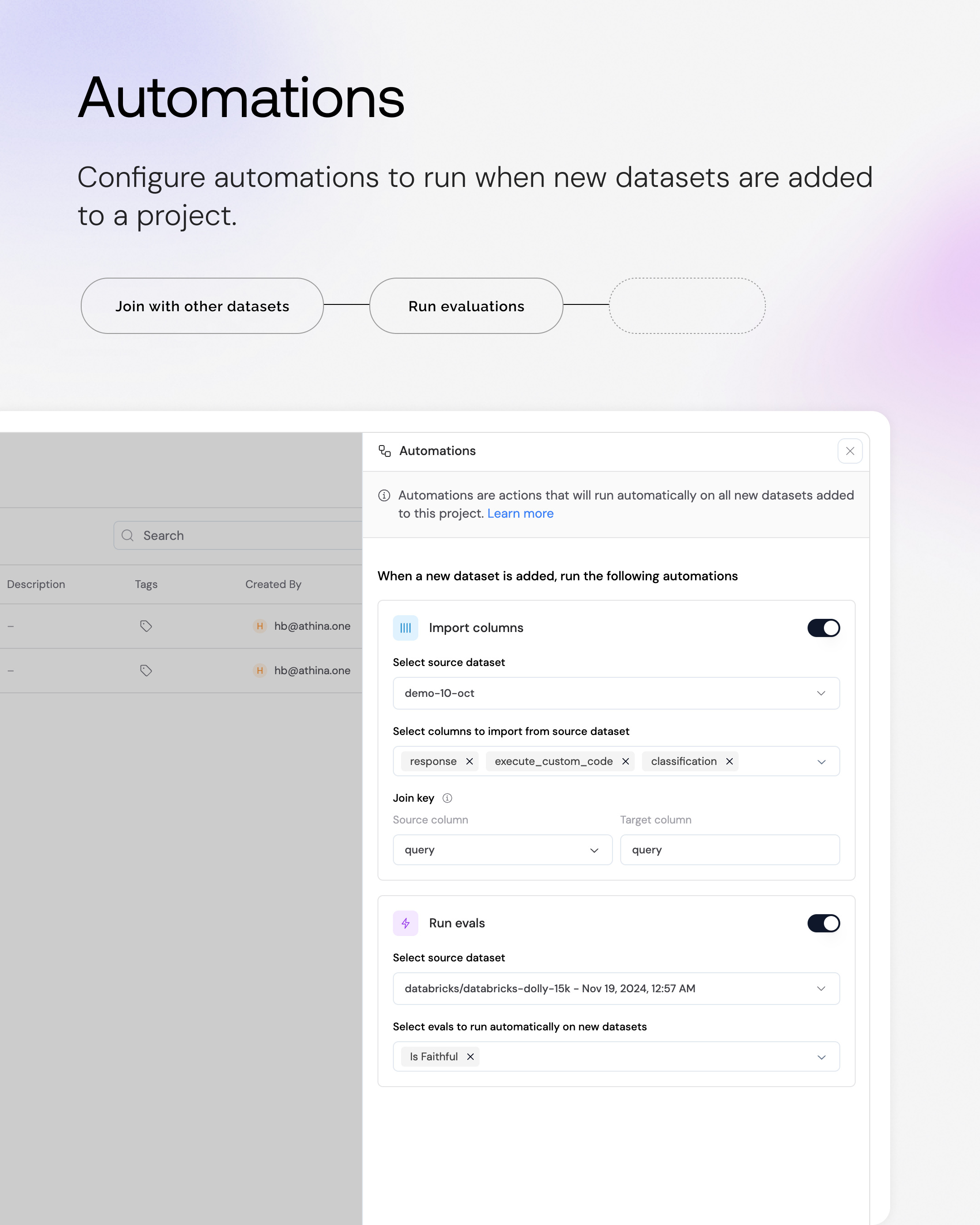
Automations are **actions that run automatically on all datasets added to a project**.
### What can you automate?
* ⋈ Automatically import columns from another dataset.
* ⚡ Automatically [run evals](/datasets/run-eval).
* ▶︎ Automatically run [dynamic columns](/datasets/dynamic-columns).
* ⛓️ Automatically run [flows](/flows/overview).
 ### When do automations run?
Automations will run when:
* A dataset is moved to a project that has configured automations.
* A dataset is created and assigned to a project that has configured automations.
### How do you configure automations?
Automations live at the project level.
To configure automations, create a project from the Dataset List page and then click on the "Automations" button at the top right corner of the project.
A sidebar will appear on the right with the automations you can configure.
***
### When do automations run?
Automations will run when:
* A dataset is moved to a project that has configured automations.
* A dataset is created and assigned to a project that has configured automations.
### How do you configure automations?
Automations live at the project level.
To configure automations, create a project from the Dataset List page and then click on the "Automations" button at the top right corner of the project.
A sidebar will appear on the right with the automations you can configure.
***
 ### Automation Steps
**Order Matters**: Arrange steps logically - for example, import necessary
columns before running evals that depend on them
#### Import Columns
Import specific columns from another dataset into your target dataset
* Configure join conditions to match data between datasets
* Select which columns you want to import
#### Run Evals
Automatically execute configured evaluations on new datasets
* Select a dataset where you have previously run these evaluations.
* The evaluation configuration will be copied from that dataset, and executed when a new dataset is added to the project.
#### Dynamic Columns
Automatically run dynamic columns on new datasets
* Select a dataset where you have previously run dynamic columns.
* The dynamic column configuration will be copied from that dataset, and executed when a new dataset is added to the project.
### Automation Steps
**Order Matters**: Arrange steps logically - for example, import necessary
columns before running evals that depend on them
#### Import Columns
Import specific columns from another dataset into your target dataset
* Configure join conditions to match data between datasets
* Select which columns you want to import
#### Run Evals
Automatically execute configured evaluations on new datasets
* Select a dataset where you have previously run these evaluations.
* The evaluation configuration will be copied from that dataset, and executed when a new dataset is added to the project.
#### Dynamic Columns
Automatically run dynamic columns on new datasets
* Select a dataset where you have previously run dynamic columns.
* The dynamic column configuration will be copied from that dataset, and executed when a new dataset is added to the project.