> ## Documentation Index
> Fetch the complete documentation index at: https://docs.athina.ai/llms.txt
> Use this file to discover all available pages before exploring further.
# API Call
> Fetch some data from an API endpoint
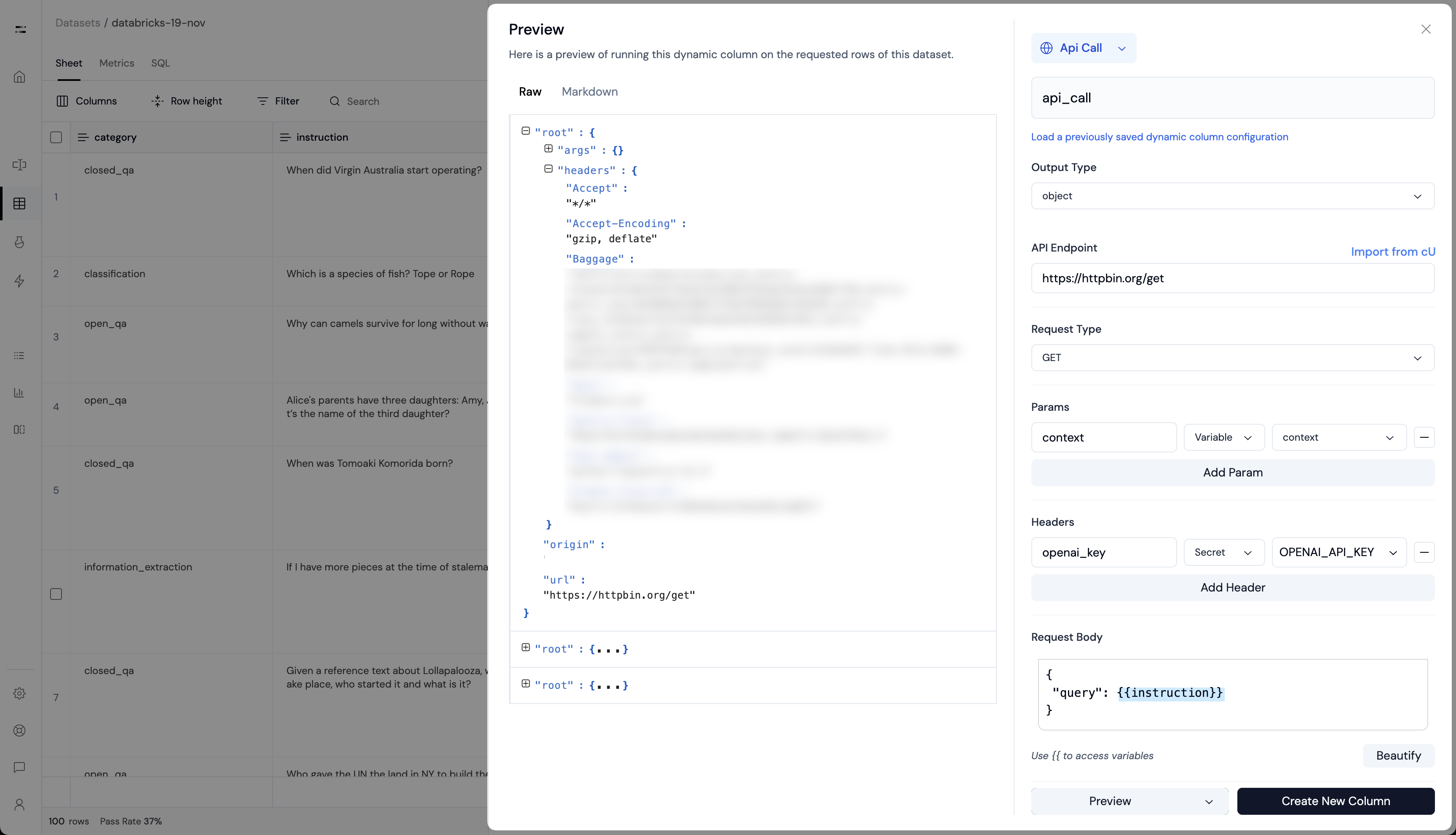
The **`API Call` dynamic column** will fetch data from an API endpoint.
**Output type**: `object` | `array` | `string` | `number`
 You can use the [`ApiCall`
evaluator](/api-reference/evals/custom-evals/api-call) to run your own
API-based evaluations.
#### Inputs
* **Method**: The HTTP method to use
* **Endpoint**: The URL of the API endpoint
* **Headers**: The headers to send with the request
* **Body**: The request body to send with the request
* **Params**: The query parameters to send with the request
You can inject variables into the `Body` using `{{` and `}}`. Jinja
templating is also supported.
You can use the [`ApiCall`
evaluator](/api-reference/evals/custom-evals/api-call) to run your own
API-based evaluations.
#### Inputs
* **Method**: The HTTP method to use
* **Endpoint**: The URL of the API endpoint
* **Headers**: The headers to send with the request
* **Body**: The request body to send with the request
* **Params**: The query parameters to send with the request
You can inject variables into the `Body` using `{{` and `}}`. Jinja
templating is also supported.