> ## Documentation Index
> Fetch the complete documentation index at: https://docs.athina.ai/llms.txt
> Use this file to discover all available pages before exploring further.
# Join Datasets
> Import columns from another dataset.
Athina allows you to import columns from another dataset.
This can be useful for:
* Importing ground truth labels from a different dataset.
* Importing classifications from a different dataset.
* Joining 2 datasets for comparison.
### How to Join Datasets
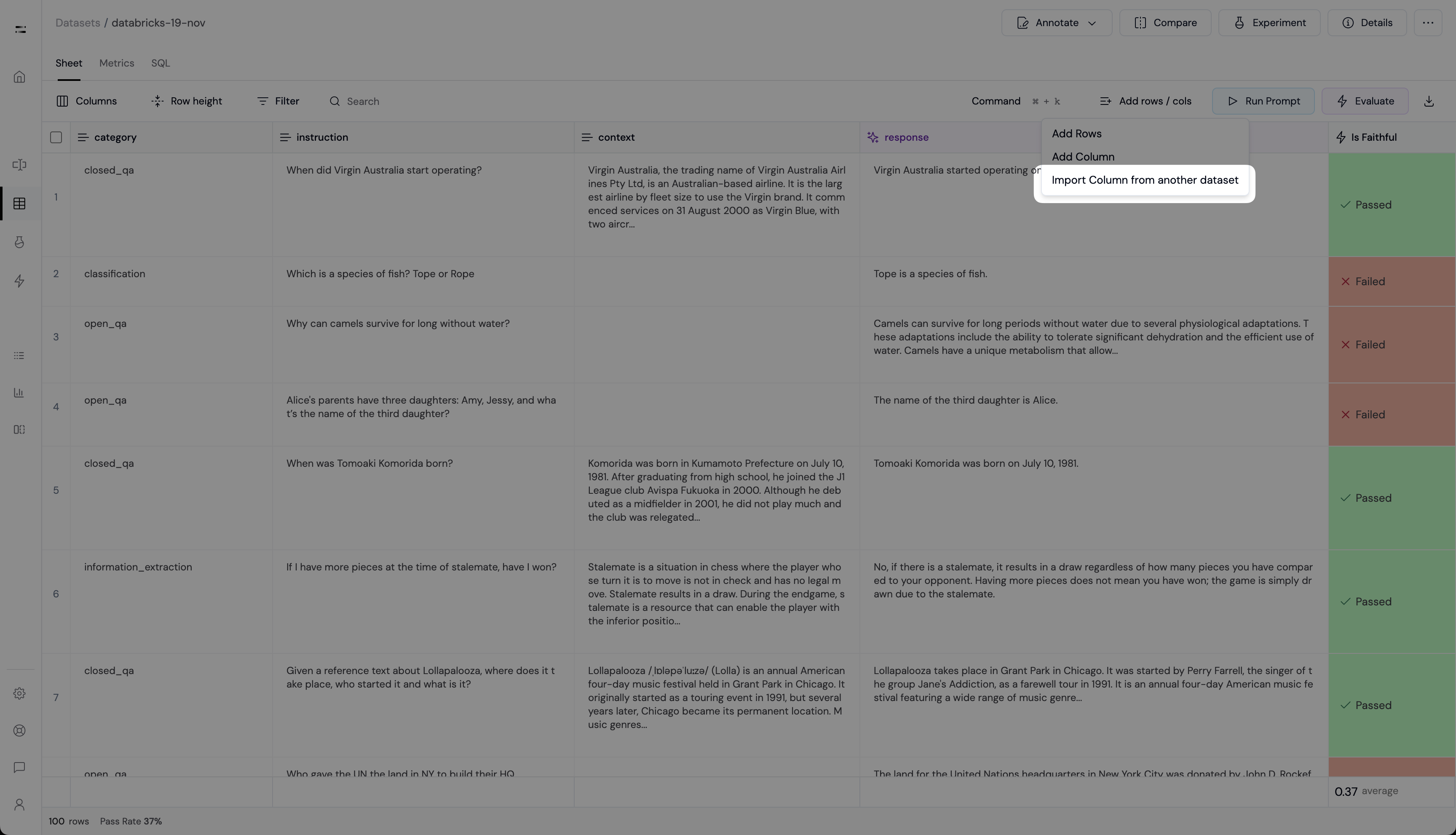 Click the **Add Columns** button in the **Dataset Sheet** view.
Then select **Import Columns from another Dataset**.
Click the **Add Columns** button in the **Dataset Sheet** view.
Then select **Import Columns from another Dataset**.
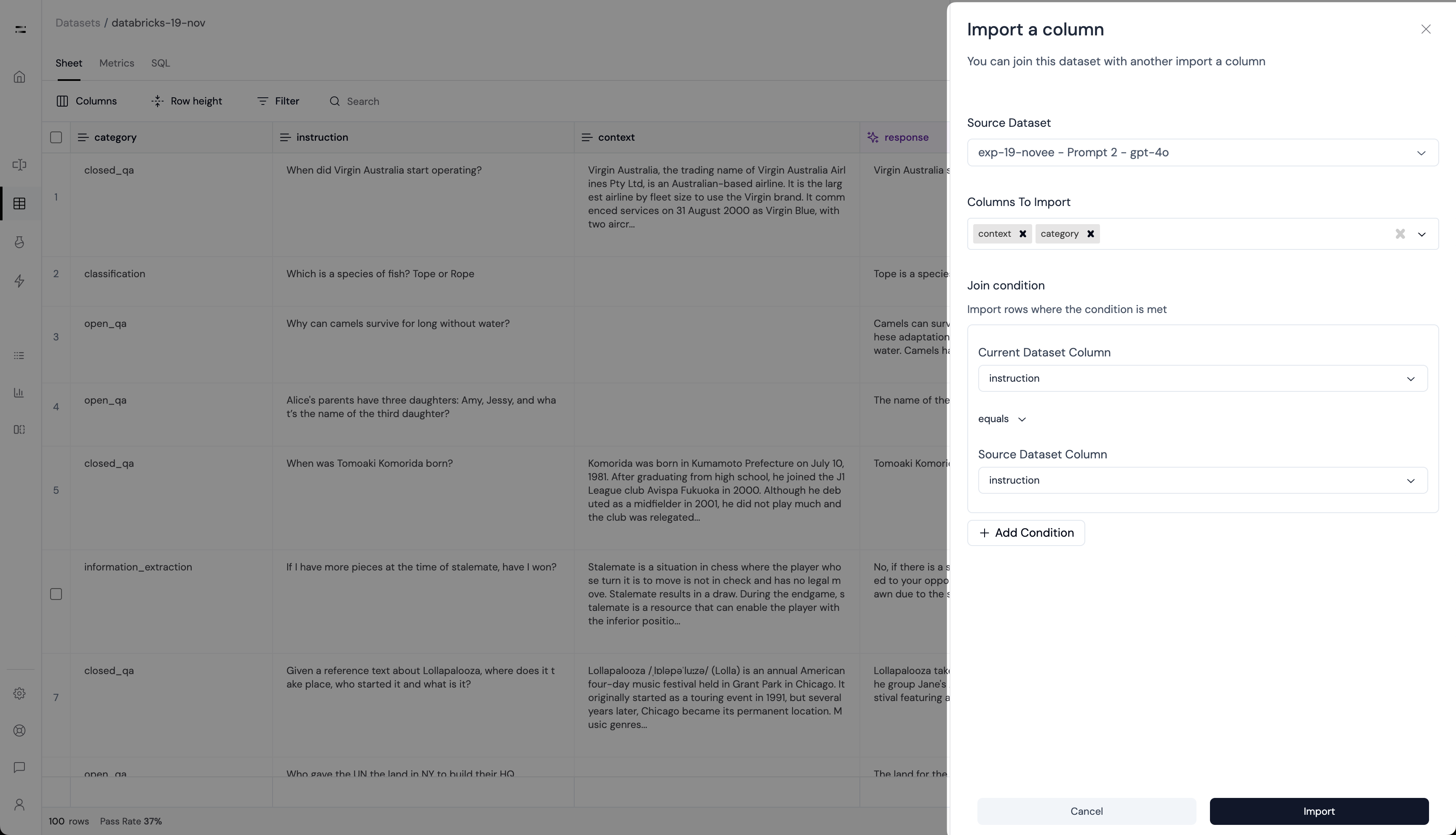 * **Source Dataset**: Select the dataset you want to import columns from.
* **Columns to Import**: Select 1 or more columns you want to import.
* **Join Condition**:
* **Current Dataset Column**: Select the column from the current dataset.
* **Join Condition**: Currently, only `equals` is supported.
* **Source Dataset Column**: Select the column from the source dataset.
Click **Import** to import the columns from the source dataset.
* **Source Dataset**: Select the dataset you want to import columns from.
* **Columns to Import**: Select 1 or more columns you want to import.
* **Join Condition**:
* **Current Dataset Column**: Select the column from the current dataset.
* **Join Condition**: Currently, only `equals` is supported.
* **Source Dataset Column**: Select the column from the source dataset.
Click **Import** to import the columns from the source dataset.