> ## Documentation Index
> Fetch the complete documentation index at: https://docs.athina.ai/llms.txt
> Use this file to discover all available pages before exploring further.
# Preparing Data for Fine-Tuning
> Step-by-Step Guide to Optimizing Your Dataset for Fine-Tuning Models in Athina.
Fine-tuning a model requires structured and high-quality training data. Properly preparing data ensures the model learns effectively from relevant examples, improving its performance on specific tasks. This guide walks you through the step-by-step process of preparing data for fine-tuning in Athina AI, including uploading, processing (quality check), and formatting datasets.
## Why use Athina for Fine-Tuning Data Preparation?
In Athina, data preparation is easy with Dynamic Columns, allowing users to clean, transform, and format datasets without complex coding. You can detect errors, duplicates, and inconsistencies in datasets and even create custom evaluations to ensure data quality before fine-tuning. This results in optimized, high-quality data for better fine-tuning outcomes.
Now, let's go through the step-by-step process of preparing data for fine-tuning.
## Implementation
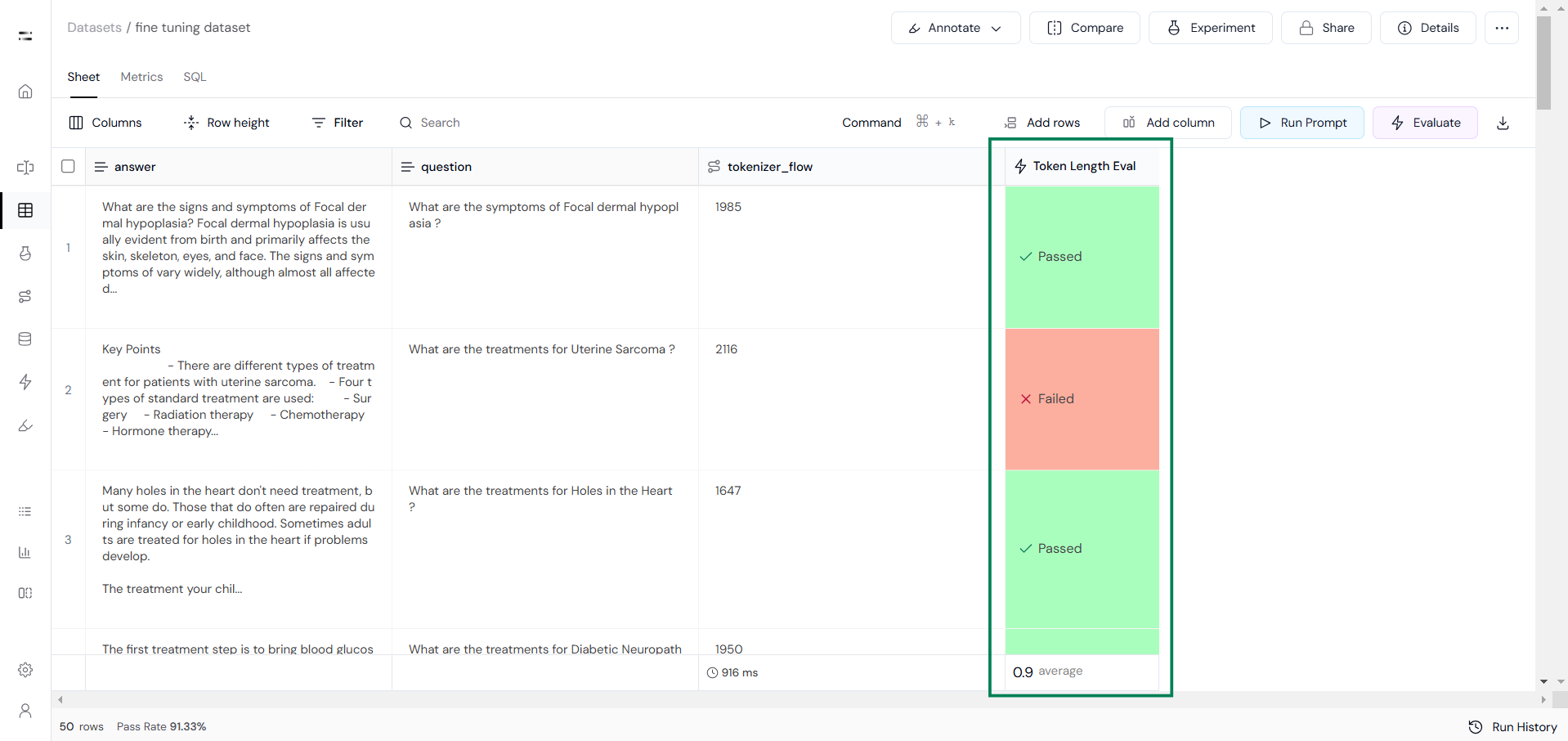
We are fine-tuning the TinyLlama (1.1B parameters) model with a 2048-token context window (Sequence Length), so the total token length for each sample must be ≤ 2048.
### Step 1: Checking Sequence Length
To check the token length for both questions and answers, we will create a tokenizer flow as shown below:
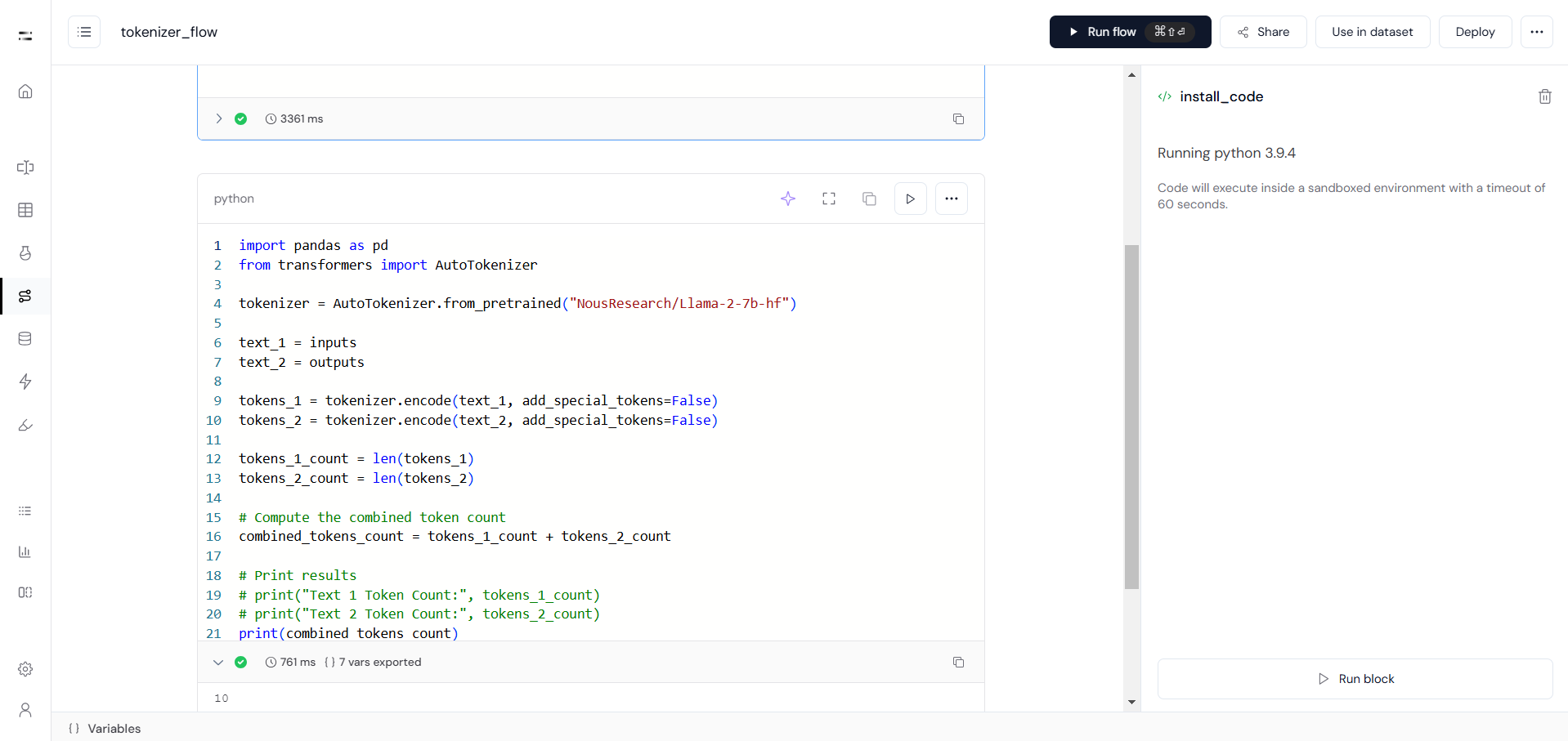 Next, click on **"Use in Dataset"** to add this flow to the fine-tuning dataset.
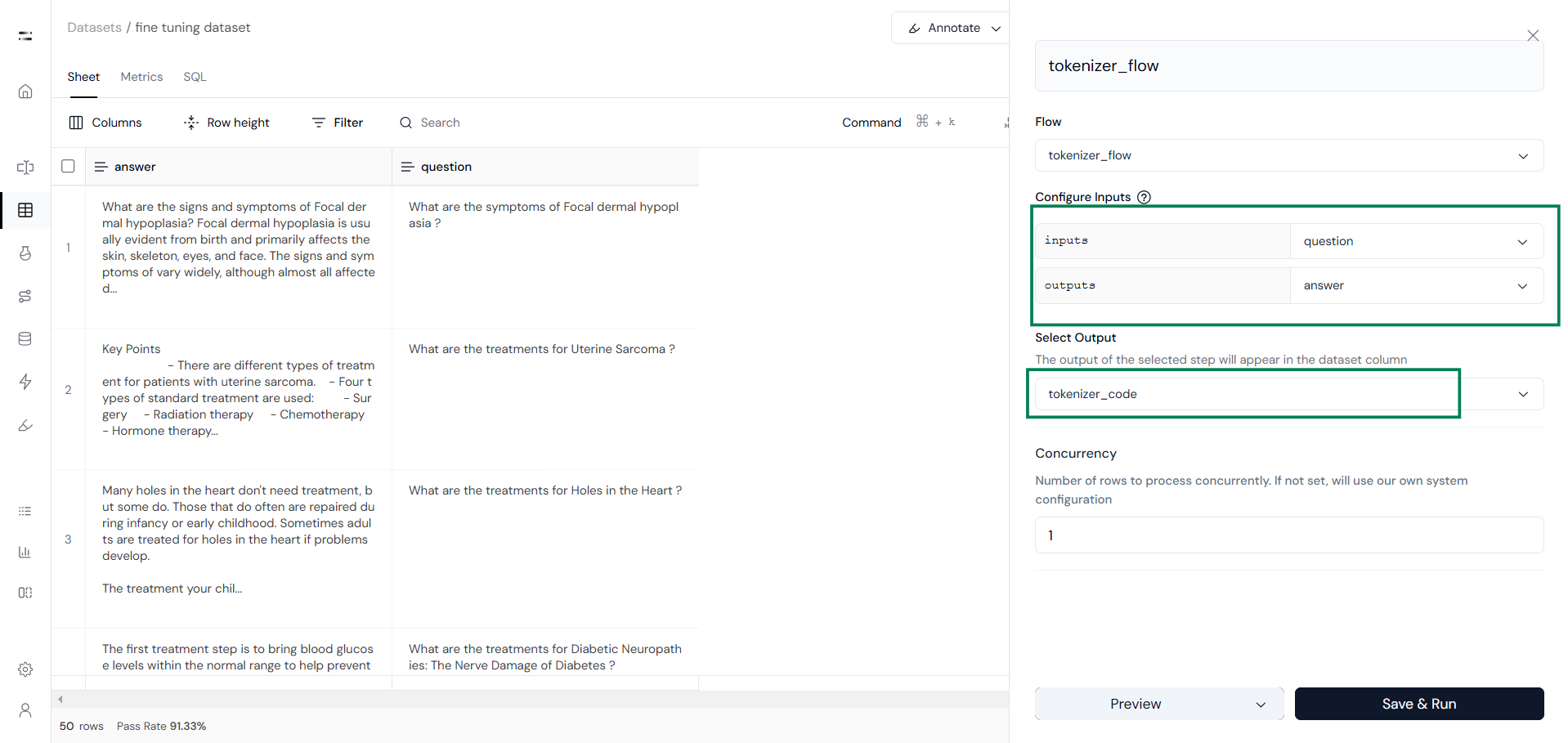
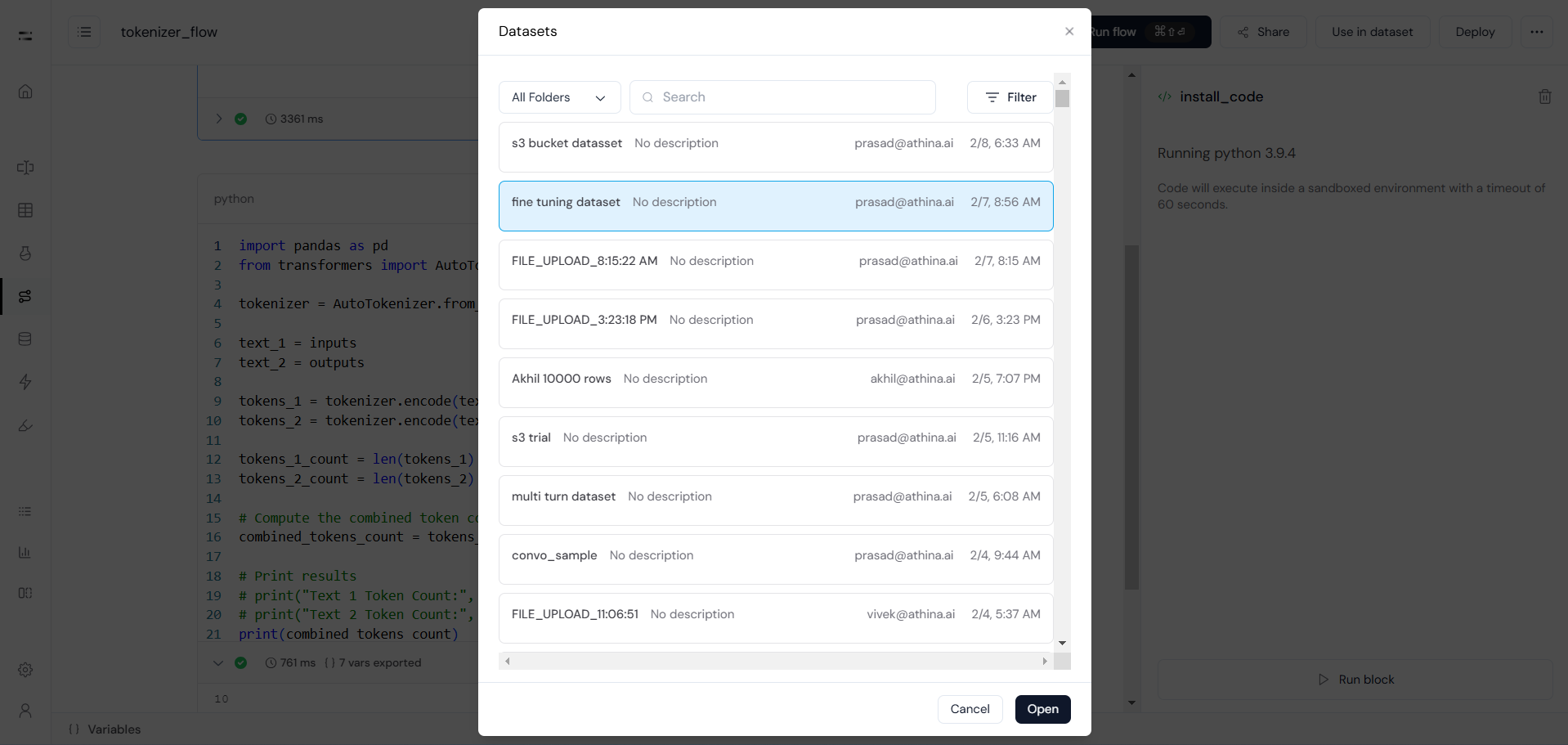 You will then be redirected to your dataset. Here, select **Configure Inputs** and choose the second code block as the output. This will appear in the dataset column, as shown below:
 After this, create a **custom evaluation** to check whether the response exceeds the **2048-token context window**.
 ### Step 2: Quality Checking
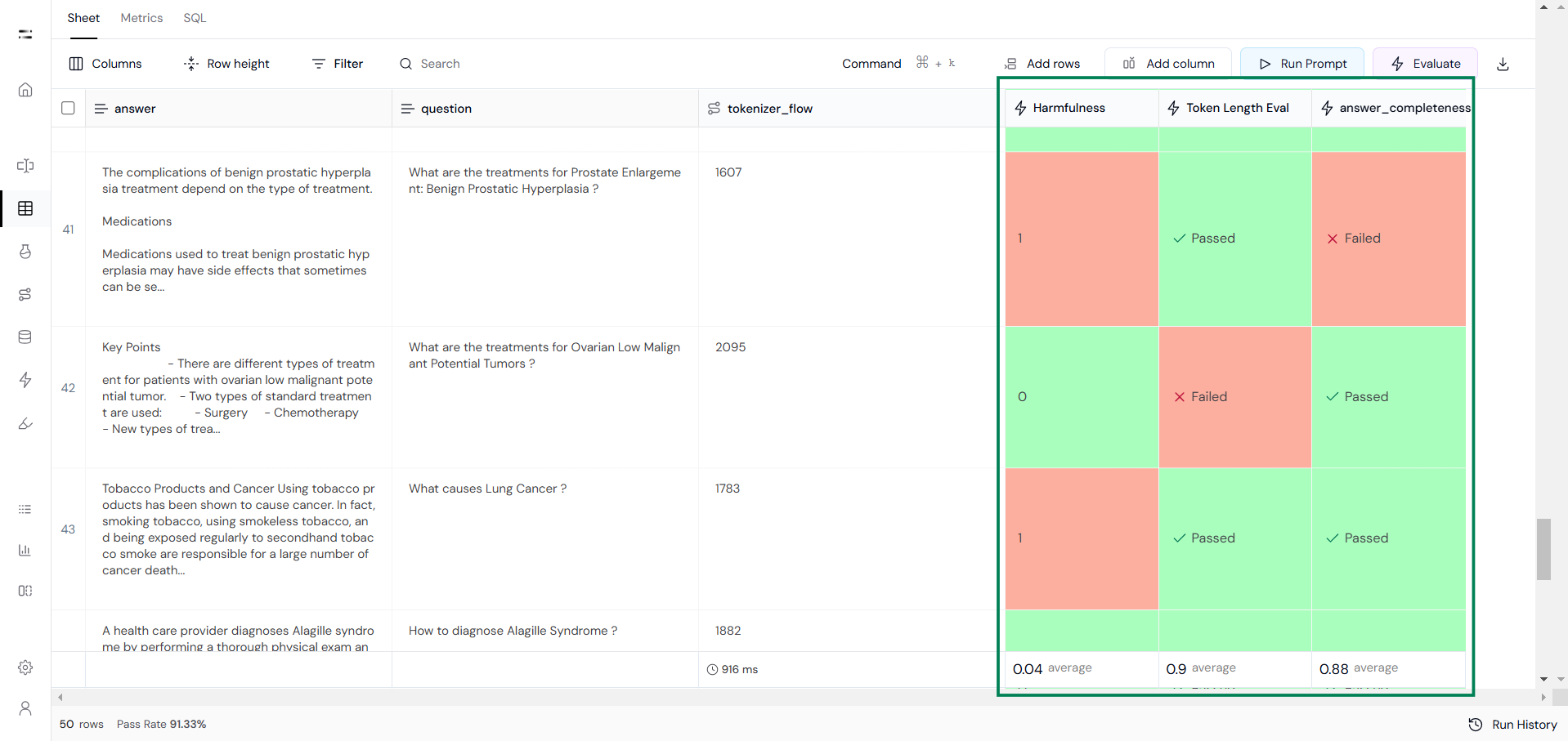
Ensure data quality using evaluation metrics such as:
* Answer completeness
* Grammar accuracy
* Safety checks (e.g., harmfulness or maliciousness)
You can also create custom evaluations (as per your use case) to check the quality of the dataset.
### Step 2: Quality Checking
Ensure data quality using evaluation metrics such as:
* Answer completeness
* Grammar accuracy
* Safety checks (e.g., harmfulness or maliciousness)
You can also create custom evaluations (as per your use case) to check the quality of the dataset.
 ### Step 3: Applying the Chat Template
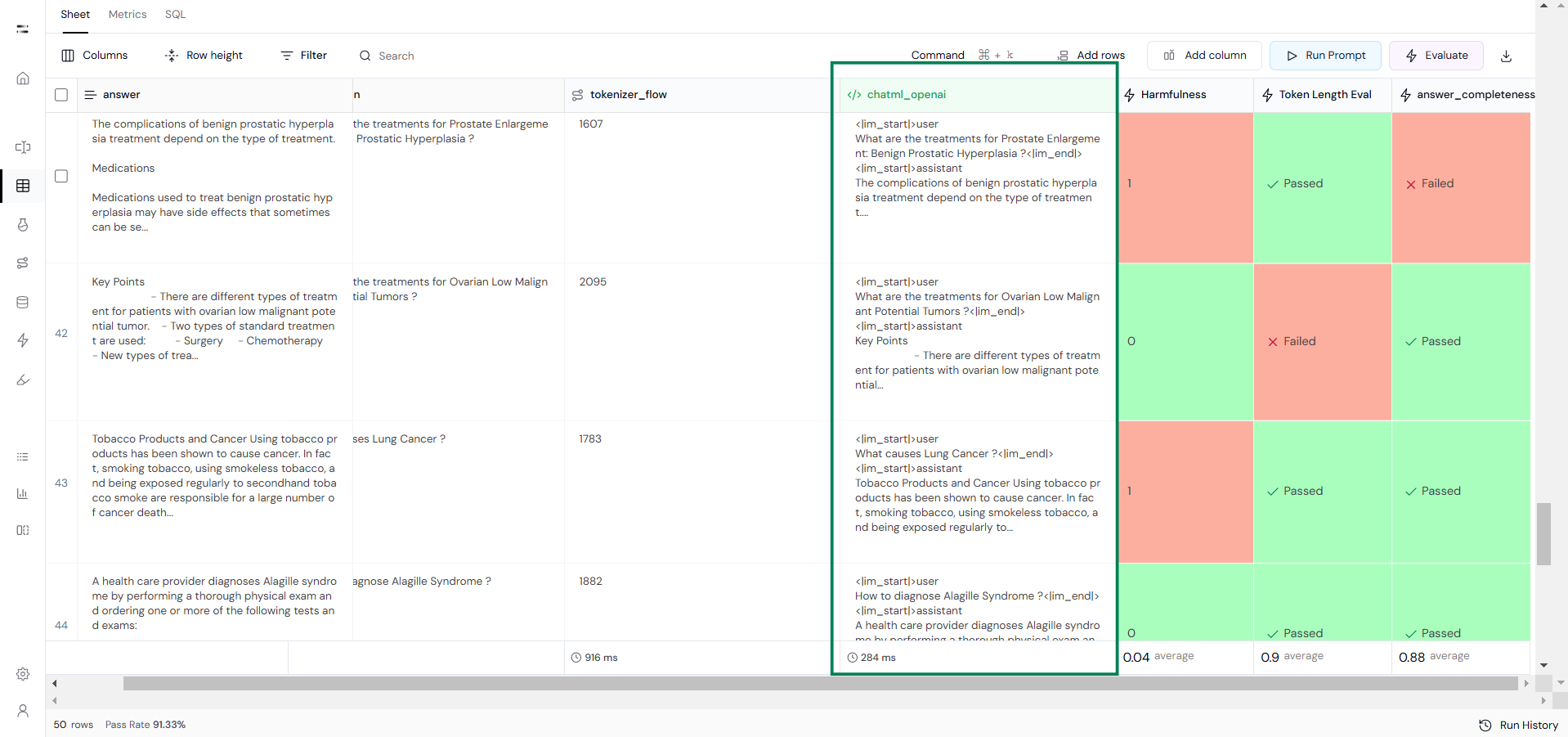
Once high-quality data has been selected, apply the [Chat Template](https://huggingface.co/docs/transformers/main/en/chat_templating) using **Execute Custom Code**. Here, we use the ChatML template from OpenAI.
### Step 3: Applying the Chat Template
Once high-quality data has been selected, apply the [Chat Template](https://huggingface.co/docs/transformers/main/en/chat_templating) using **Execute Custom Code**. Here, we use the ChatML template from OpenAI.
 This is how you can prepare a fine-tuning dataset in Athina AI.
By following these steps, you can properly prepare, clean, and format datasets for fine-tuning in Athina AI. This ensures your model is trained on high-quality, structured data, leading to better performance and improved results.
This is how you can prepare a fine-tuning dataset in Athina AI.
By following these steps, you can properly prepare, clean, and format datasets for fine-tuning in Athina AI. This ensures your model is trained on high-quality, structured data, leading to better performance and improved results.