> ## Documentation Index
> Fetch the complete documentation index at: https://docs.athina.ai/llms.txt
> Use this file to discover all available pages before exploring further.
# Evaluations in CI/CD Pipeline
> Automating Evaluations using Athina AI in CI/CD Pipelines.
When working with AI (LLM) applications, it’s important to ensure that changes enhance performance rather than introduce errors or quality degradation. Running Athina Evals in a Continuous Integration/Continuous Deployment (CI/CD) pipeline automates this validation process, helping you detect issues before they reach production.
Athina provides preset evaluations to assess different aspects of LLM applications, including Retrieval-Augmented Generation (RAG), safety, summarization, JSON validation, and function-based checks. This guide explains why CI/CD is essential for AI evaluations and how to set up Athina Evals in your workflow.
## Why Use CI/CD for Evaluation?
* **Automated Quality Checks:** Every time you update a model, modify a prompt, or adjust other settings, Athina Evals automatically validates the changes to ensure consistency and reliability.
* **Early Issue Detection:** If a model starts producing incorrect, unsafe, or unstructured responses, Athina will catch the problem before deployment, preventing bad outputs from reaching users.
* **Scalable and Repeatable Testing:** Instead of running manual tests, CI/CD pipelines automate evaluations so they run every time changes are made, ensuring repeatable and reliable quality checks.
* **Seamless Integration with GitHub Actions:** With GitHub Actions, you can trigger evaluations on every pull request or code push, making model and prompt validation an integral part of your development workflow.
## Set Up Evaluations in a CI/CD Pipeline
Now, let’s go through the step-by-step workflow using GitHub Actions to automate evaluations in your CI/CD pipeline.
### Step 1: Create a GitHub Workflow
Define a workflow file inside .github/workflows/athina.yml to automatically run evaluations. This workflow will trigger when changes are pushed to the main branch.
```yml
name: Athina Evals in CI/CD
on:
push:
branches:
- main
jobs:
evaluate:
runs-on: ubuntu-latest
steps:
- uses: actions/checkout@v3
- name: Set up Python
uses: actions/setup-python@v4
with:
python-version: '3.9'
- name: Install Dependencies
run: |
python -m pip install --upgrade pip
pip install -r requirements.txt
- name: Run Athina Evaluation
run: python -m evaluations.evals
env:
OPENAI_API_KEY: ${{ secrets.OPENAI_API_KEY }}
ATHINA_API_KEY: ${{ secrets.ATHINA_API_KEY }}
```
### Step 2: Create an Evaluation Script
Write a script to evaluate your dataset using Athina Evals, and push your code and evaluation script to GitHub.
```python
import os
import pandas as pd
from athina.evals import (
DoesResponseAnswerQuery,
RagasContextPrecision
)
from athina.loaders import Loader
from athina.keys import AthinaApiKey, OpenAiApiKey
from dotenv import load_dotenv
load_dotenv()
OpenAiApiKey.set_key(os.getenv('OPENAI_API_KEY'))
AthinaApiKey.set_key(os.getenv('ATHINA_API_KEY'))
def load_data(file_path):
"""Loads and processes the dataset from a JSON file."""
data = pd.read_json(file_path)
data = data.rename(columns={
'question': 'query',
'correct_answer': 'expected_response',
'generated_with_rag': 'response'
})
return data.to_dict(orient='records')
def evaluate(data_dict):
"""Runs evaluation metrics on the dataset."""
dataset = Loader().load_dict(data_dict)
does_answer_df = DoesResponseAnswerQuery(model="gpt-4o").run_batch(data=dataset).to_df()
context_precision_df = RagasContextPrecision(model="gpt-4o").run_batch(data=dataset).to_df()
return does_answer_df, context_precision_df
if __name__ == "__main__":
file_path = './data/sample.json'
data_dict = load_data(file_path)
evaluate(data_dict)
```
### Step 3: Run GitHub Actions
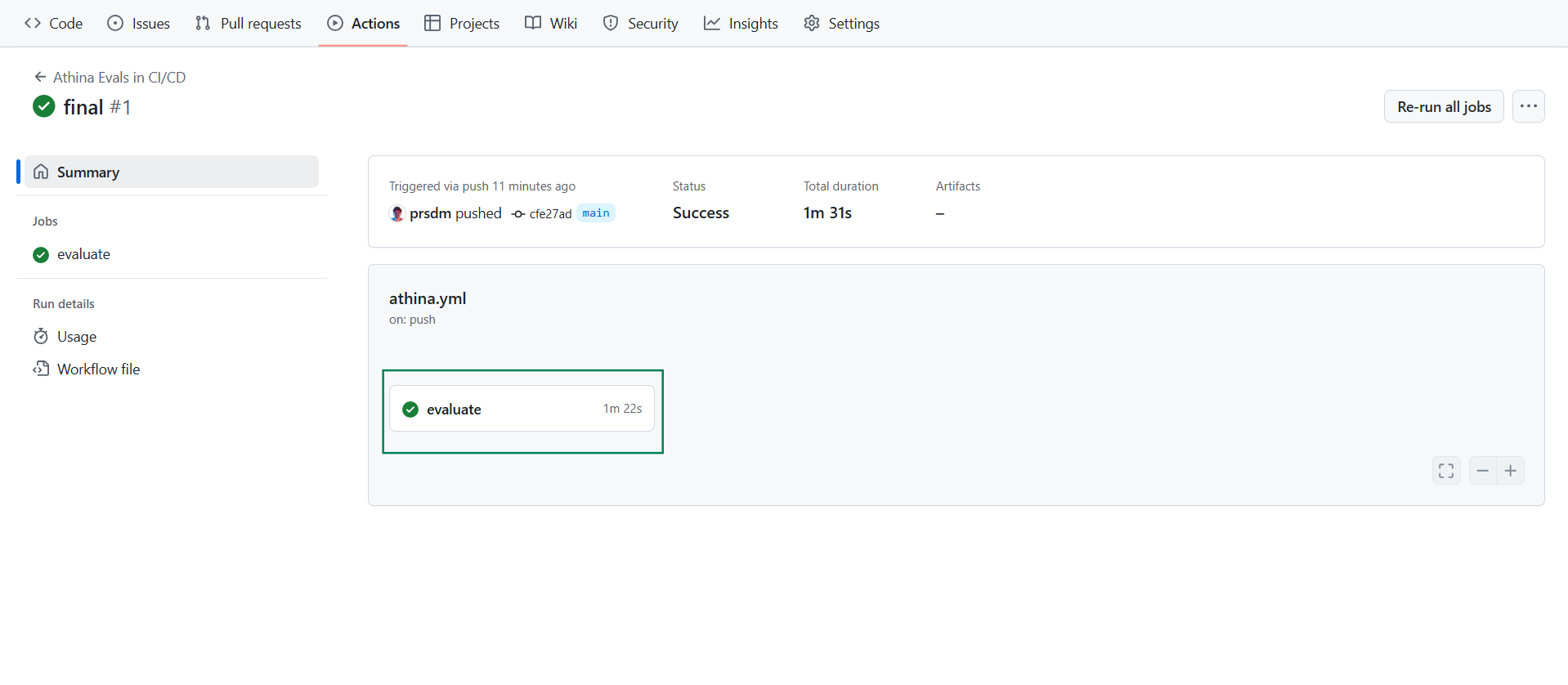
Go to GitHub Actions in your repository to check if the workflow executed successfully or if any errors occurred.
 ### Step 4: Check Results in Athina
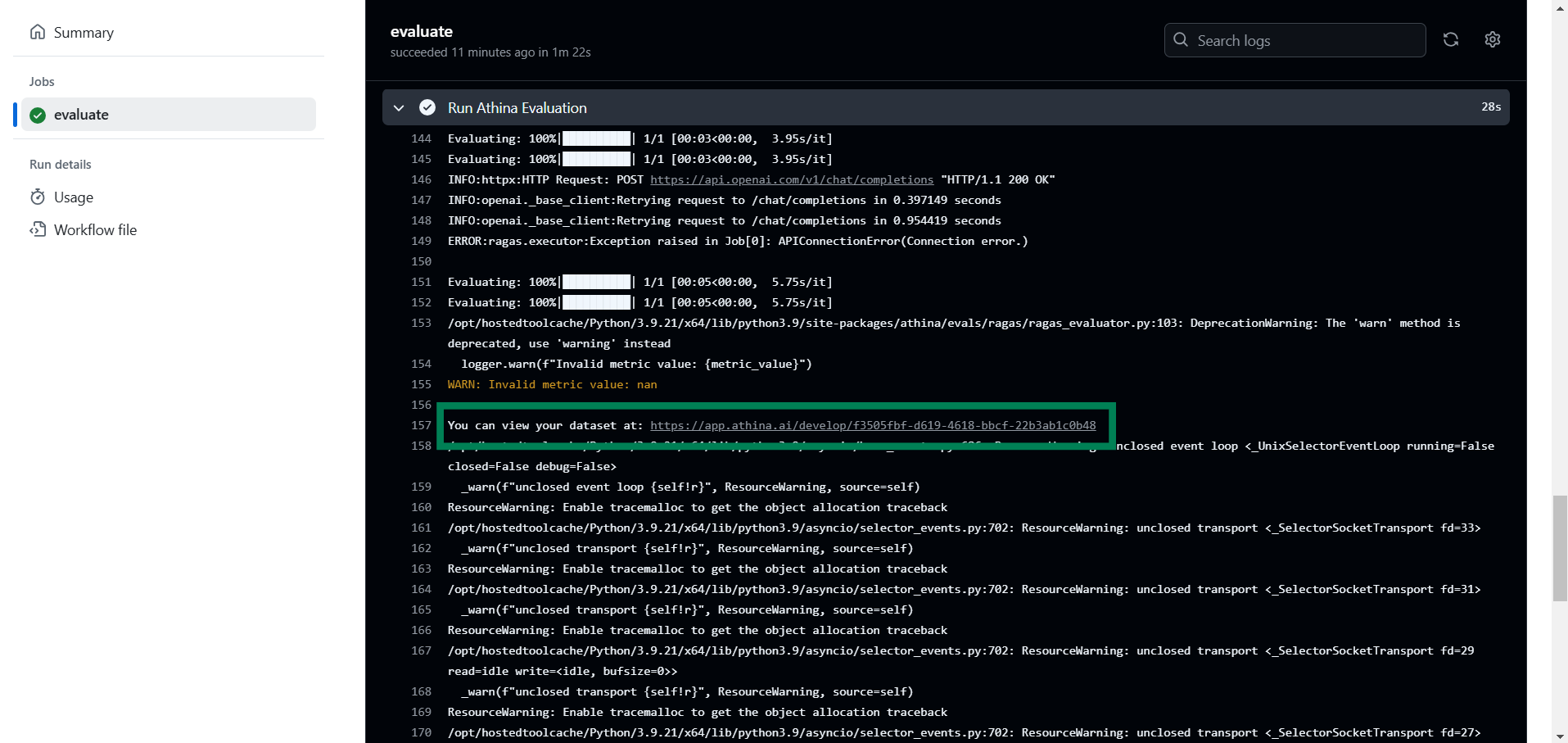
Open Athina Datasets to check the logged-in dataset and evaluation results, or click on the link in the GitHub workflow logs to view your dataset and evaluation metrics, as shown in the image.
### Step 4: Check Results in Athina
Open Athina Datasets to check the logged-in dataset and evaluation results, or click on the link in the GitHub workflow logs to view your dataset and evaluation metrics, as shown in the image.
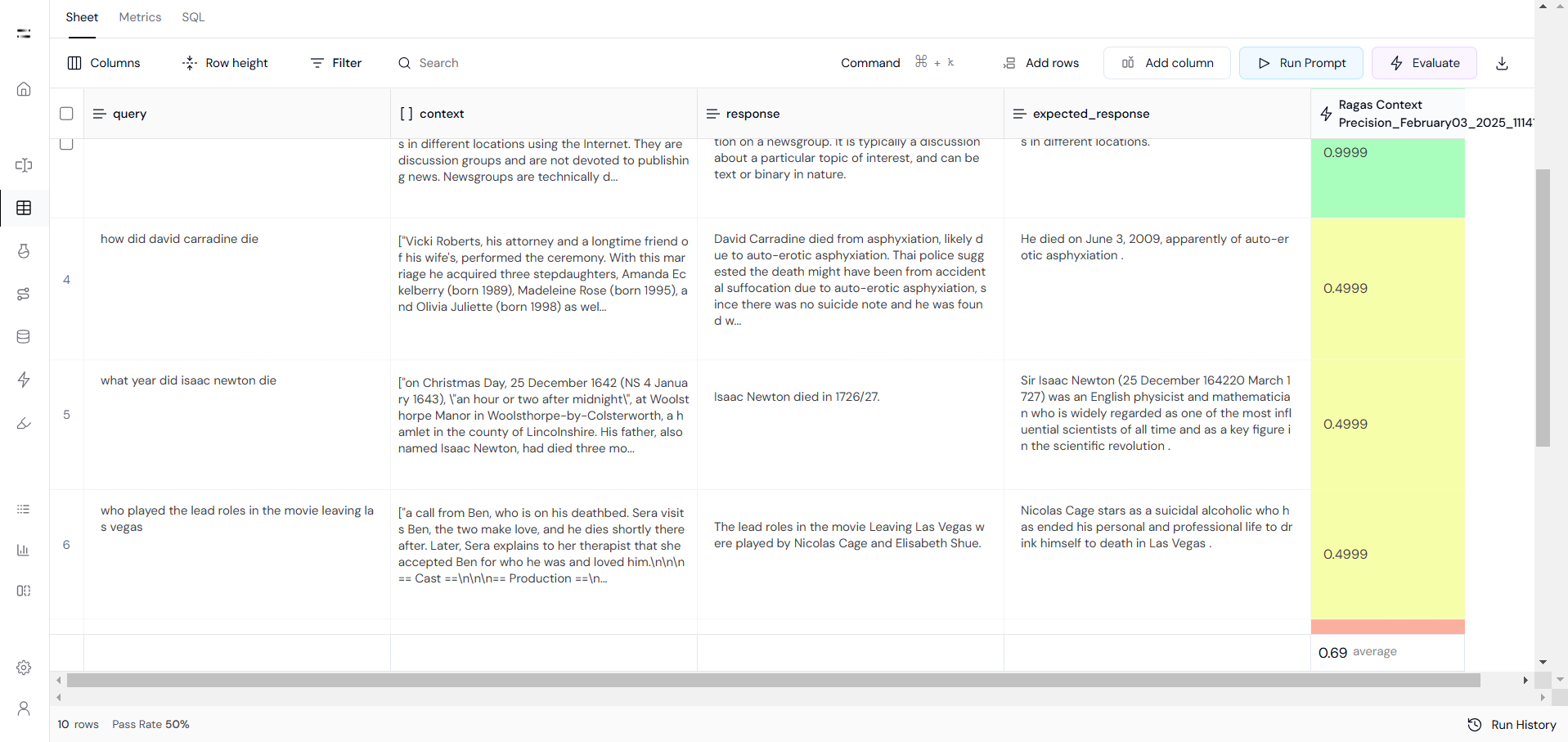
 Results in Athina Datasets will look something like this:
 Integrating Athina Evals into your CI/CD pipeline ensures every AI update is automatically tested and validated before deployment. With GitHub Actions, evaluations run seamlessly, catching issues early and maintaining accuracy, safety, and performance.
This setup eliminates manual testing, prevents regressions, and streamlines AI validation, allowing you to deploy updates confidently while ensuring consistent quality.
Integrating Athina Evals into your CI/CD pipeline ensures every AI update is automatically tested and validated before deployment. With GitHub Actions, evaluations run seamlessly, catching issues early and maintaining accuracy, safety, and performance.
This setup eliminates manual testing, prevents regressions, and streamlines AI validation, allowing you to deploy updates confidently while ensuring consistent quality.