> ## Documentation Index
> Fetch the complete documentation index at: https://docs.athina.ai/llms.txt
> Use this file to discover all available pages before exploring further.
# Prompt Comparison
> Learn how to compare multiple prompts using Athina AI.
## Introduction
Prompts play a critical role in determining the quality of responses generated by Large Language Models (LLMs). The way a prompt is phrased can significantly influence the quality, relevance, and coherence of the output. Even small changes in wording or structure can lead to noticeably different results, making it essential to compare multiple prompts systematically.
Athina AI simplifies the process of comparing prompts by providing intuitive tools for side-by-side evaluations. This guide will help you understand why comparing prompts is essential and provide a detailed walkthrough of how to perform prompt comparisons effectively in Athina AI.
## Why Compare Prompts?
Evaluating different prompts allows developers to identify which formulations generate the most accurate and useful responses from large language models. This process, known as **prompt engineering**, focuses on designing and refining prompts to optimize model performance.
Effective prompt comparison helps developers understand how subtle changes in wording or structure can influence a model’s behavior, resulting in more consistent, reliable, and efficient interactions. Additionally, systematically testing various prompts can reveal biases or limitations in the model’s responses, enabling targeted improvements.
In summary, prompt comparison is a vital step in enhancing the effectiveness, accuracy, and reliability of AI systems.
Now let’s see step-by-step how to compare zero-shot and a few-shot prompts in Athina AI.
## Compare Multiple Prompts in Athina
### Step 1: Create Prompt
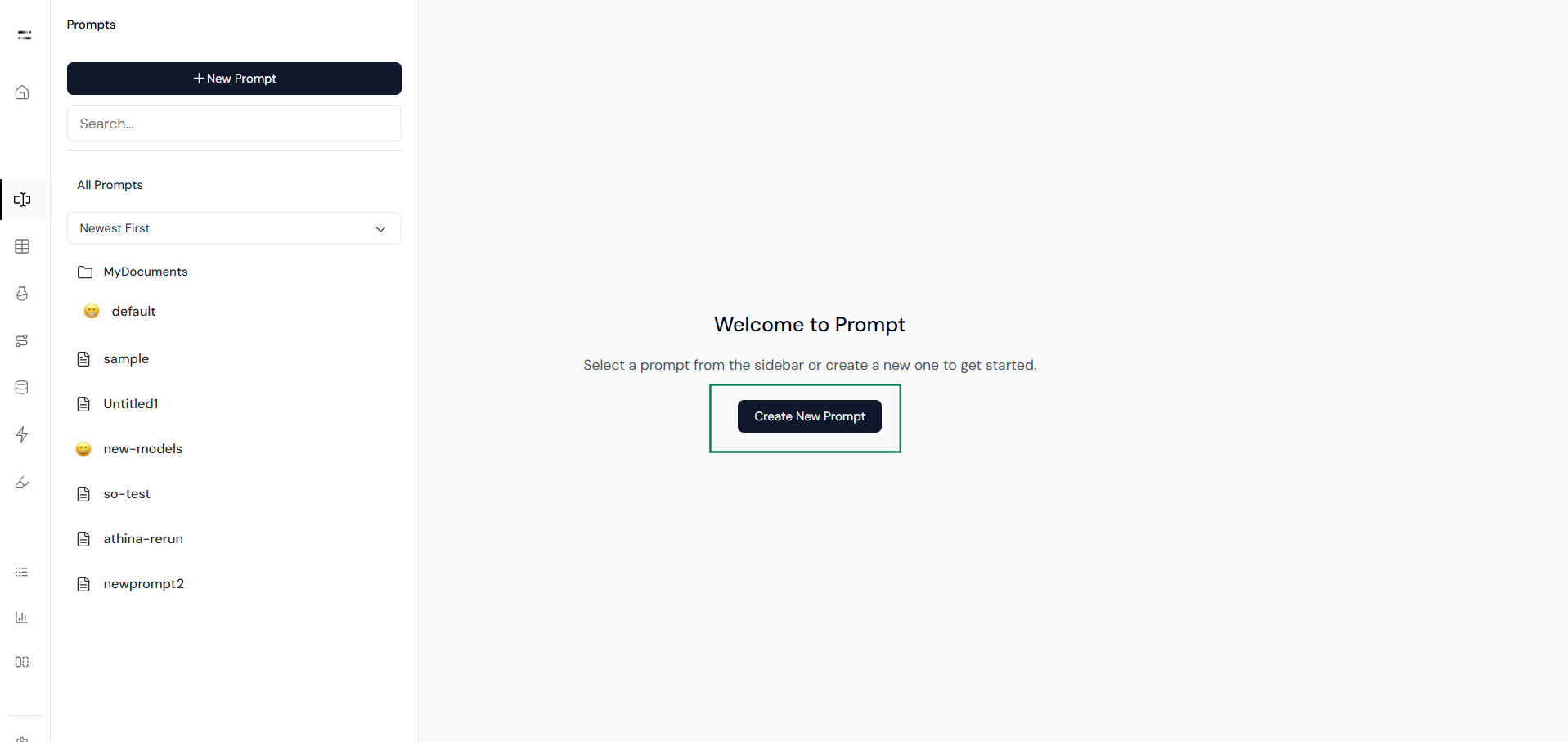
Start by opening the **Prompts** section in Athina and creating a new prompt.
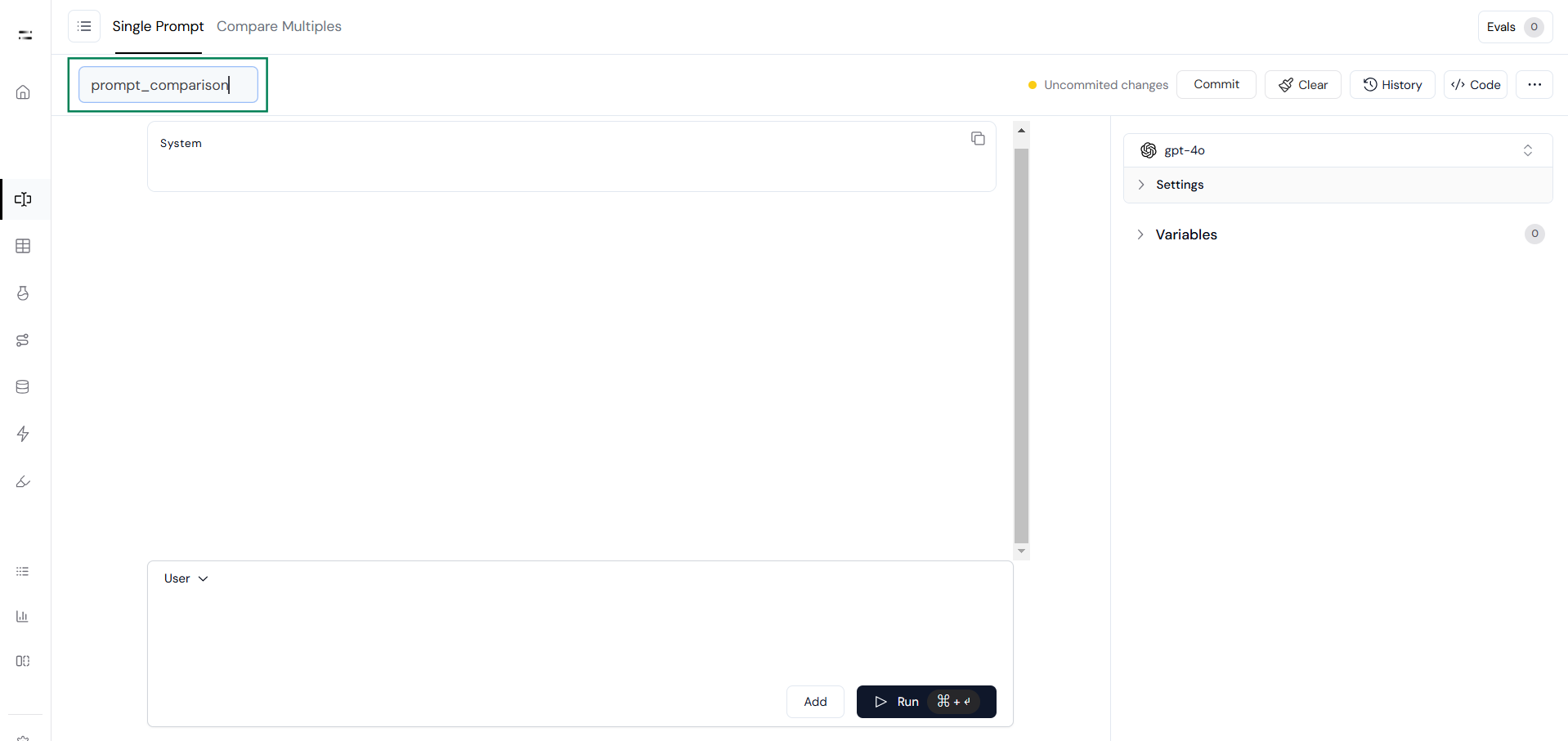
 The playground interface will appear. Rename the experiment as needed and prepare the interface for designing the prompts.
 ### Step 2: Compare Multiple Prompts
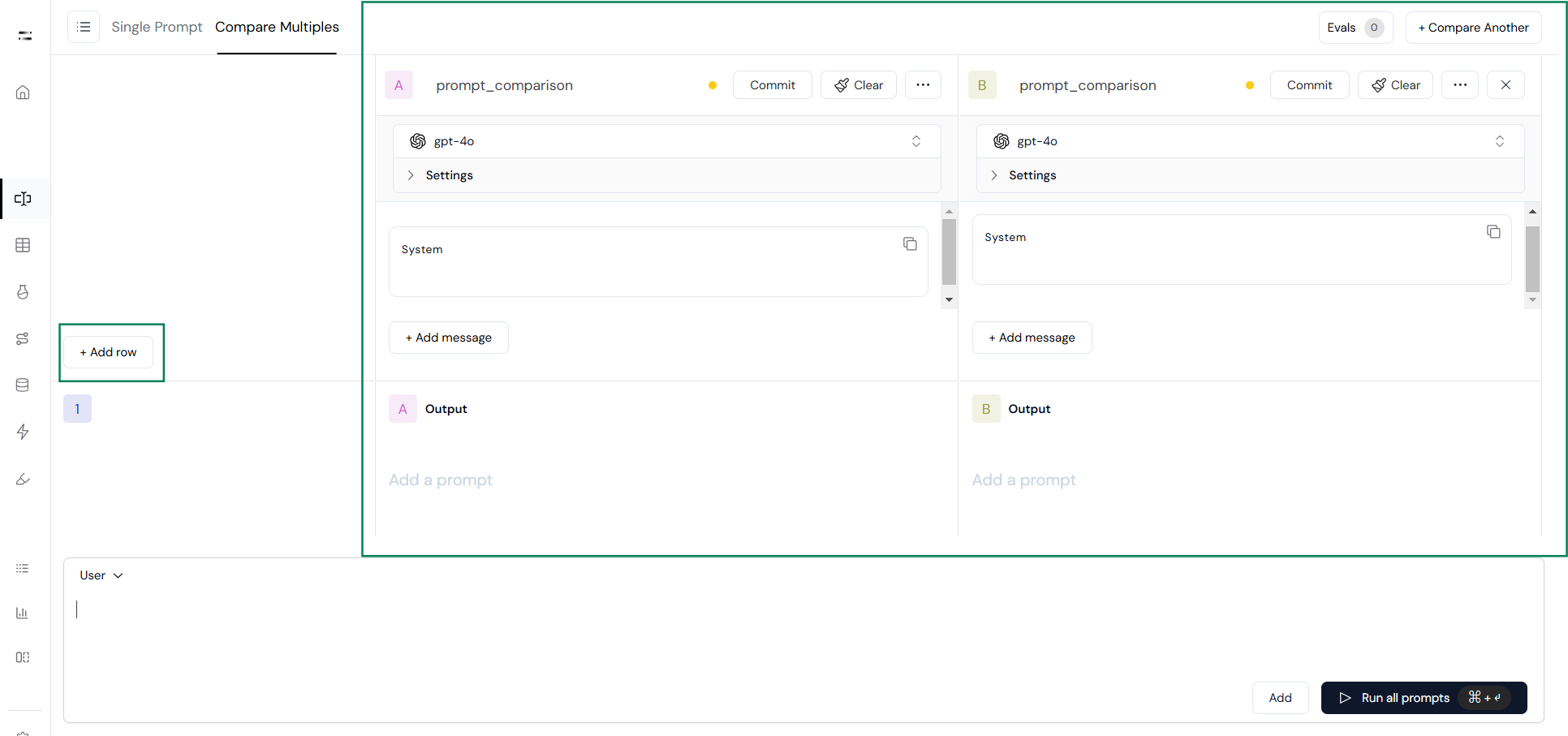
Click on **Compare Multiples** to open a workspace divided into two sections:
1. **Add Row** section, where input queries can be added.
2. **Prompts** section, where multiple prompts can be entered for comparison.
### Step 2: Compare Multiple Prompts
Click on **Compare Multiples** to open a workspace divided into two sections:
1. **Add Row** section, where input queries can be added.
2. **Prompts** section, where multiple prompts can be entered for comparison.
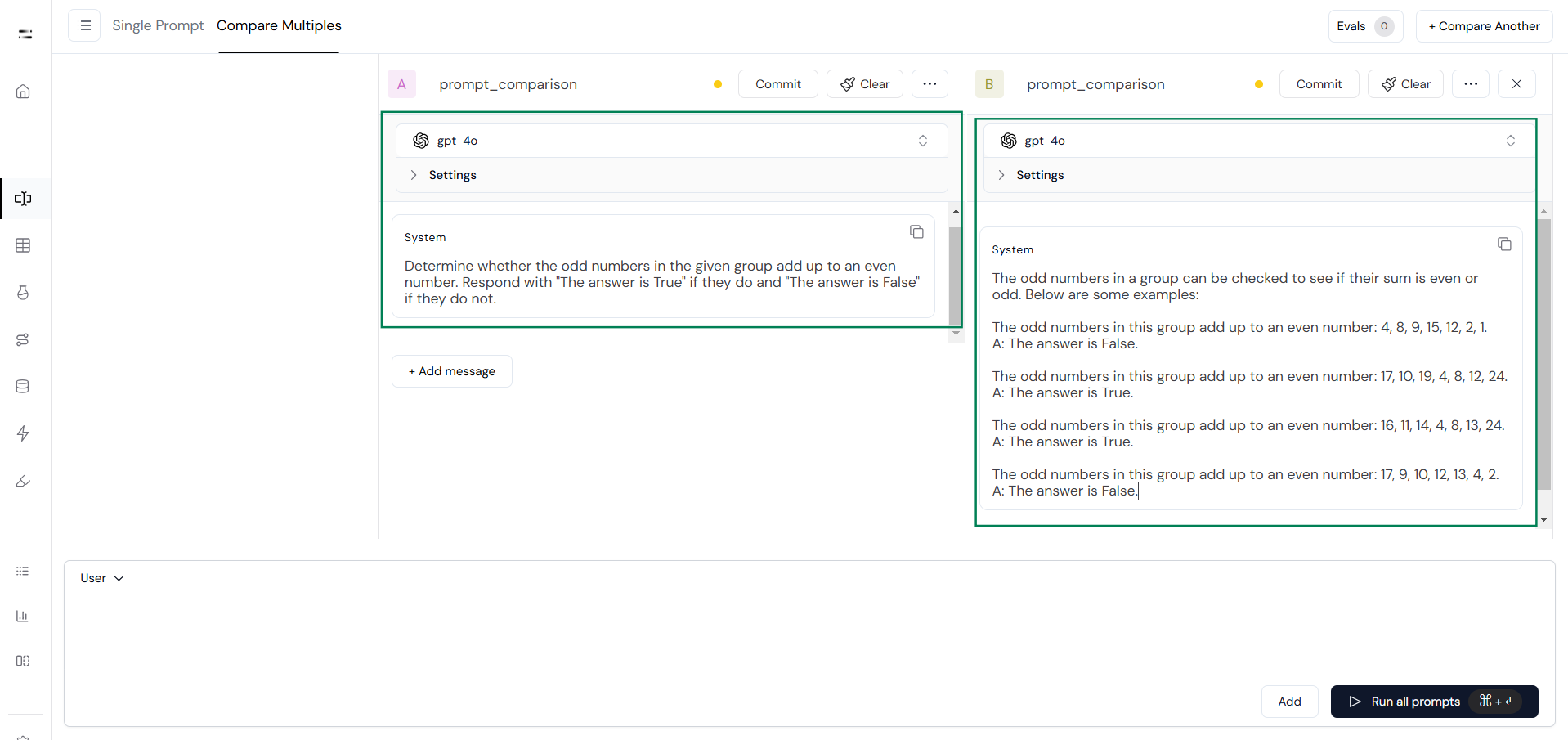
 Select the model to test and assign prompts. For example, assign **Prompt A** for the zero-shot prompt and **Prompt B** for the few-shot prompt, as shown below.
 Next, create an input variable using `{{}}`. This will create a corresponding input field in the **Add Row** section.
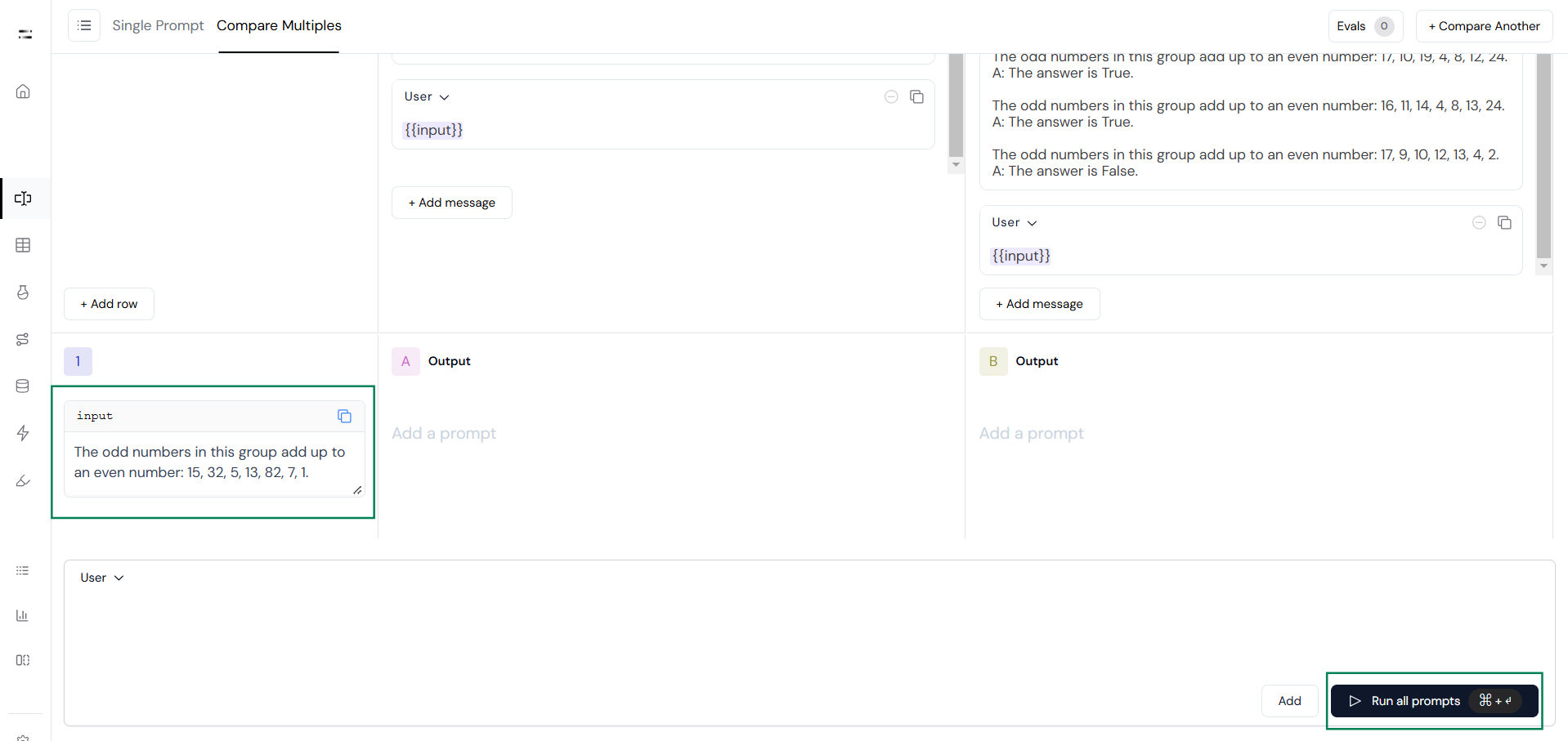
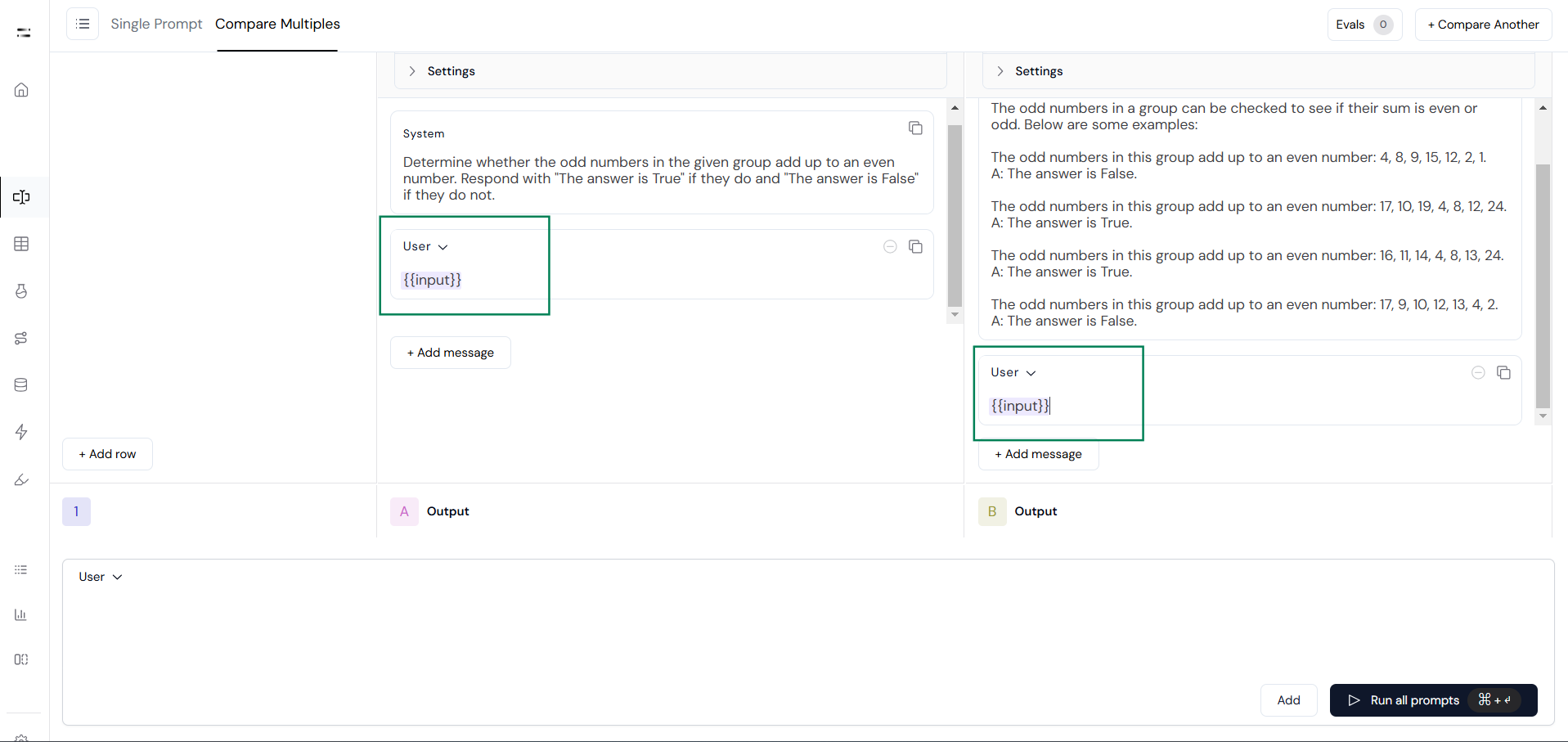 Add the query in the input field and click **Run All Prompts** to generate responses.
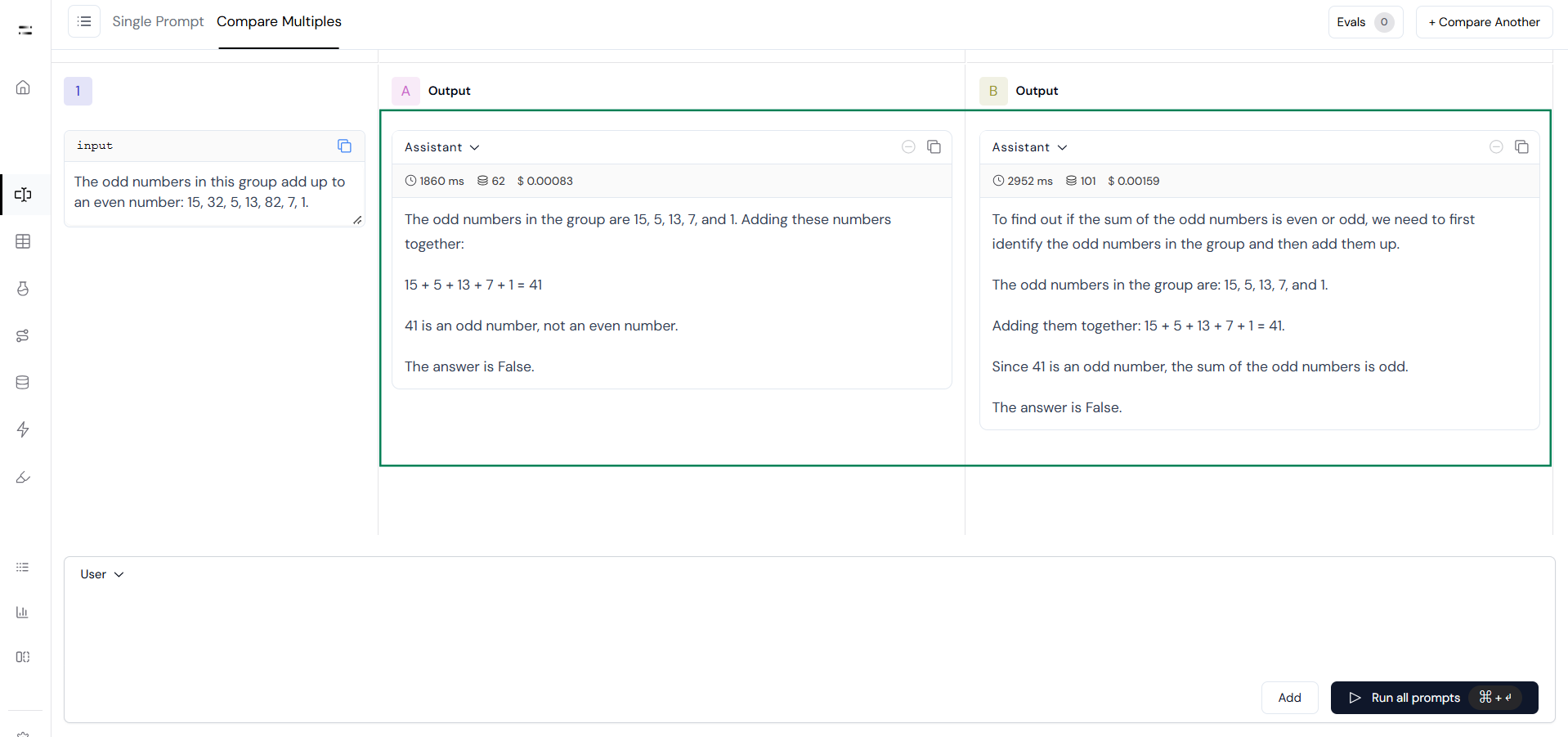
 Finally, review the outputs displayed side by side to compare how the prompts perform.
 Prompt comparison is a critical step in optimizing the quality, relevance, and coherence of outputs generated by Large Language Models. As highlighted in the introduction, subtle changes in prompt phrasing or structure can significantly influence model behavior, making systematic evaluations essential for achieving reliable and effective interactions.
Athina AI provides a streamlined and user-friendly platform for comparing multiple prompts side by side. By following the implementation steps outlined, it becomes easier to create, test, and refine prompts tailored to specific tasks or use cases.
Prompt comparison is a critical step in optimizing the quality, relevance, and coherence of outputs generated by Large Language Models. As highlighted in the introduction, subtle changes in prompt phrasing or structure can significantly influence model behavior, making systematic evaluations essential for achieving reliable and effective interactions.
Athina AI provides a streamlined and user-friendly platform for comparing multiple prompts side by side. By following the implementation steps outlined, it becomes easier to create, test, and refine prompts tailored to specific tasks or use cases.